Build Your Google Ads Campaign the Right Way — the First Time
Enter your business details to generate a custom step-by-step Google Ads setup guide — built specifically for your company, your service area, and your customers.
⏱ Your guide may take up to 60 seconds to generate — please don’t close this page while it loads.
See What This Guide Has Done for Other Local Businesses
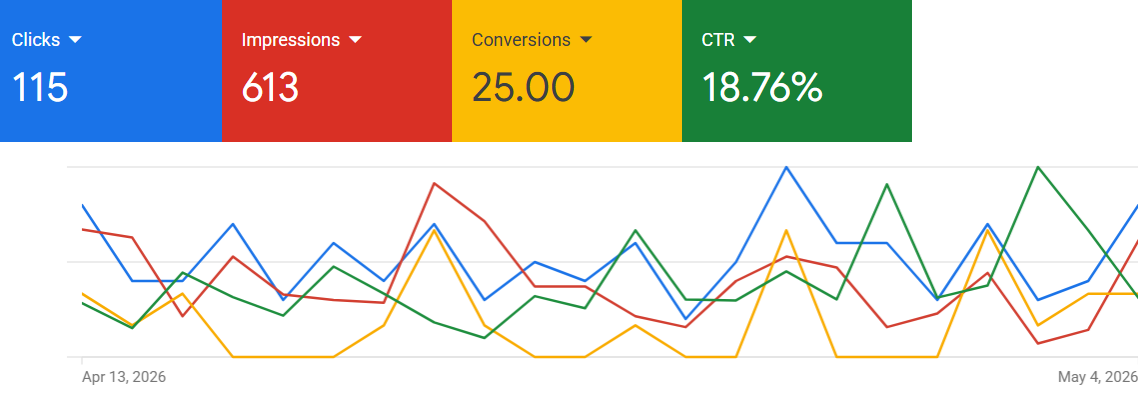
Junk Removal
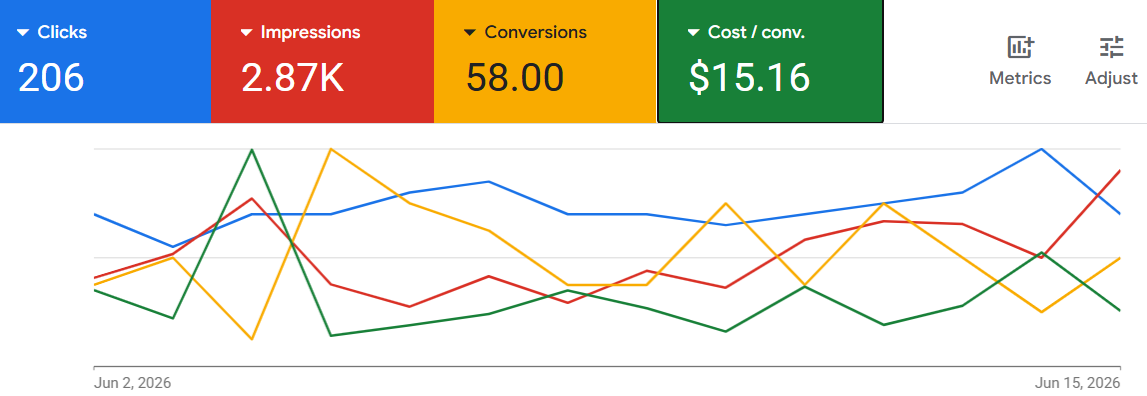
Landscaping
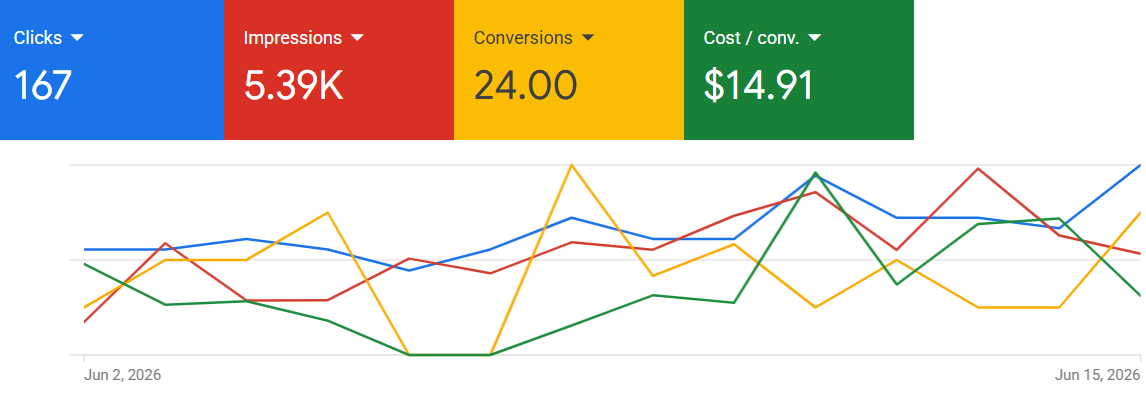
Auto Repair
Numbers shown are from real Google Ads accounts set up using this guide.
How it works
Three steps to a ready-to-launch Google Ads campaign
01
Enter your business details
Your website, business name, service area, and what makes you stand out from competitors.
02
We generate your guide
Our tool builds a step-by-step setup guide customised to your specific business — takes about 60 seconds.
01
Get the full guide by email
Preview the first steps on screen, then enter your email to receive the complete guide — free.
Here's What a Real Guide Looks Like
Below is an actual setup guide we generated for a junk removal client in Kamloops — so you know exactly what kind of detail you’ll get for your own business.
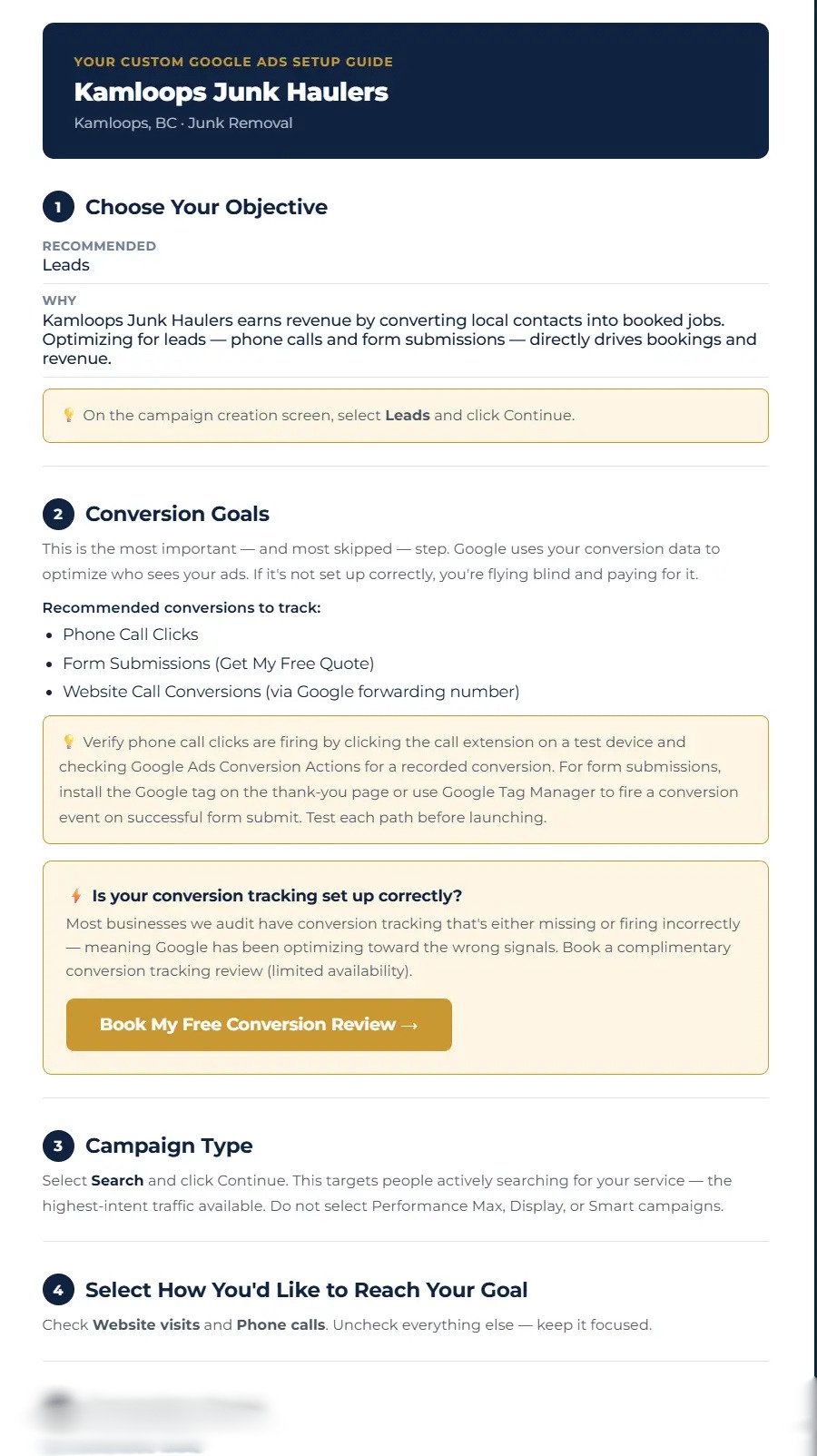
Everything covered in your free guide
- Campaign type & goal selection
- Ad copy (headlines & descriptions)
- Location & language targeting
- Daily budget recommendations
- Keyword strategy & match types
- Ad extensions & assets setup
The guide walks you through each step of building a new Google Ads Search Campaign – from start to finish.
Frequently asked questions
What type of Google Ads campaign does this guide cover?
Search campaigns only — and that’s intentional. We built this tool specifically for local service businesses, and Search is widely considered the best campaign type to start with. It puts your ad in front of people actively searching for what you offer right now — which is exactly the intent that converts into phone calls and quote requests. Display, Performance Max, and other campaign types are better suited for businesses with more Google Ads experience and a larger budget to test with.
I tried Google Ads before and lost money — how is this different?
Most bad Google Ads experiences come down to a few common mistakes: letting Google’s default settings run unchecked, using broad match keywords with no negatives, or running Display Network alongside Search without realising it. This guide addresses all of those issues from step one — it’s built to help you avoid the traps that drain budget without results, not just walk you through the basic setup.
Is this guide actually free?
Yes — completely free, no credit card required. You’ll see a preview of your personalised guide on screen, then enter your email to receive the full version. If you want it done for you, we have a paid option where we can build and manage your campaign – information on this will be included in your emailed report.
How personalised is the guide to my business?
The guide uses your business name, website, service area, and unique selling points to generate recommendations specific to your situation — including keyword suggestions tailored to your market, ad copy frameworks built around your USPs, and location targeting recommendations for your service area. It’s not a generic template.
What if I get stuck setting up my campaign?
The guide is designed to be as clear and actionable as possible — but if you hit a wall, we’re here. Book a free 15-minute call and we’ll answer any questions, or talk through whether having us manage the campaign for you makes more sense.
Powered by Rithaler Consulting